Here is the link...
ISTEP Shuffle
Tuesday, February 24, 2015

Sunday, February 22, 2015
SmartBoard Tips

Want to expand your Smart Board skills? Then check out this post.CLICK HERE
You will find 22 basic tips, several of which were new to me. I love what you can do with the "Magic Pen." (Timer, focus, or magnifier) Also new to me was the "Pin" button for use with split screens. (No, it has nothing to do with Pinterest).
If you use a Smart Board, this site is worth your time!

Wednesday, February 18, 2015

Monday, February 16, 2015


Google Basics
Here are some tutorials on some of major practical Google Doc tips that need to be mastered.
 Click here to go to the site.
Found on the site

Here is a direct link to the google doc where the information is. Teachers and students should all have this reference doc!
Found on the site
Here is a direct link to the google doc where the information is. Teachers and students should all have this reference doc!
Google Drawings - Cheat Sheet
From Shake Up Learning...

Google Drawings Cheat Sheet
Here is a link to the PDF (for those with ACS e-mail)
Google Drawings Cheat Sheet
Here is a link to the PDF (for those with ACS e-mail)

Extended Response Resources
Extended response (Applied Skills) starts nest week. Here are some resources for practice.
 Please be aware: These are Common Core resources. Check your standards before using. You may need to adjust a grade level up or down depending on your grades standards for that strand.
Milwaukee Mathematics Partnership. Multiple problems with scoring rubrics.
Morgan County Schools - TN. Includes possible solution paths, assessment questions to ask, as well as some possible student misconceptions.
Louisiana Believes - 6th Grade - 7th Grade - 8th Grade
State of Washington. Released items and scoring rubrics.
Northwest Illinois Mathematics and Science.
Illinois State Board of Education - Released items
If you have others that we might not already be aware of, please share in the comments section.
Milwaukee Mathematics Partnership. Multiple problems with scoring rubrics.
Morgan County Schools - TN. Includes possible solution paths, assessment questions to ask, as well as some possible student misconceptions.
Louisiana Believes - 6th Grade - 7th Grade - 8th Grade
State of Washington. Released items and scoring rubrics.
Northwest Illinois Mathematics and Science.
Illinois State Board of Education - Released items
If you have others that we might not already be aware of, please share in the comments section.
Wednesday, February 11, 2015

Tuesday, February 10, 2015
Cool Google Stuff
Here is some things that you can do with Google.
#1. Type in "Tip Calculator" into the search bar.
 #2. Search by Image.Go to "images.google.com. This is not searching FOR an image, it is searching BY an image. You download or link to an image and it searches the web for (other) sites that have that image.

#3. Converter. For the example below I typed "miles to kilometers" and clicked on that line.

#4. Google Sky (google.com/sky/) is just plain cool. You can zoom in and out just like with Google Earth.

#5. Type in "Mortgage Calculator" into the search bar.

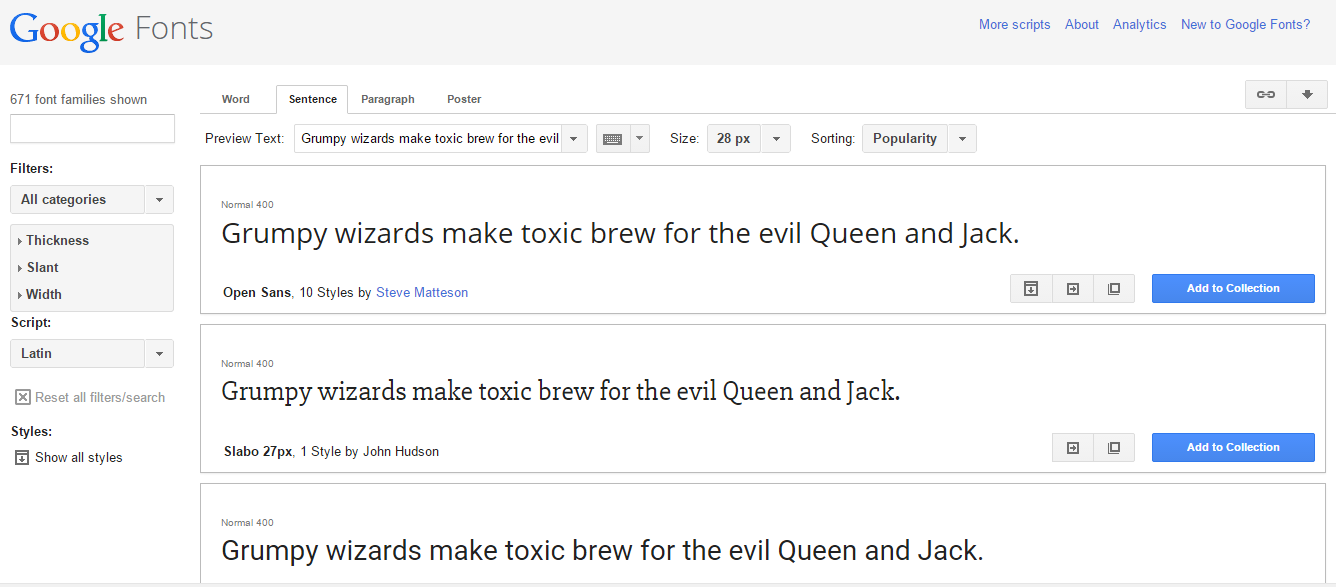
#6. Google Fonts (https://www.google.com/fonts)
#7. Google Keep (https://keep.google.com/)

#8. Flight Status. (Just type in the flight number in the search bar.)

#1. Type in "Tip Calculator" into the search bar.
#3. Converter. For the example below I typed "miles to kilometers" and clicked on that line.
#4. Google Sky (google.com/sky/) is just plain cool. You can zoom in and out just like with Google Earth.
#5. Type in "Mortgage Calculator" into the search bar.
#6. Google Fonts (https://www.google.com/fonts)
#7. Google Keep (https://keep.google.com/)
#8. Flight Status. (Just type in the flight number in the search bar.)
Subscribe to:
Posts (Atom)