Bill Reed has posted some sites Google+ that are resources for Math instruction.
You can get to his post by clicking here.
Here is a part of what the post includes. If you want to see the whole list, click on the link above.
Welcome to this blog. This is a resource page for all HMS Staff. If there is something you would like to see on this blog, please e-mail me at dgniffke@acsc.net.
Showing posts with label Apps and Websites. Show all posts
Monday, August 10, 2015
Monday, June 29, 2015
More resources!
This is one that was used by one of the main speakers at eLead 2015. (Robbie Grimes)
pollev.com
This one was also from one of the main speakers at eLead 2015. (Matt Miller)
goformative.com
pollev.com
This one was also from one of the main speakers at eLead 2015. (Matt Miller)
goformative.com
Sunday, April 19, 2015
Web 2.0 Sites
Here are some Web 2.0 sites and what they can do.
Kahoot - Sign up for a FREE account to give quizzes in a game-like setting.
Quizlet - Simple tools that help you study anything.
Weebly - Create a FREE website.
Classflow - Allows live communication between teacher and devices.
Padlet - Communicate via a bulletin board-type board.
Today's Meet - Allows live feedback during instruction.
Sumo Paint - On-line image editor
Time Toast - Create time lines on line
Chogger - Make and share comic strips
Khan Academy - Instructional videos on many topics
And here is a site with even more...cool 2.0 tools.
Here is a symbaloo page that has a lot of resources. Haven't checked them all out yet, but they all come highly recommended.
Kahoot - Sign up for a FREE account to give quizzes in a game-like setting.
Quizlet - Simple tools that help you study anything.
Weebly - Create a FREE website.
Classflow - Allows live communication between teacher and devices.
Padlet - Communicate via a bulletin board-type board.
Today's Meet - Allows live feedback during instruction.
Sumo Paint - On-line image editor
Time Toast - Create time lines on line
Chogger - Make and share comic strips
Khan Academy - Instructional videos on many topics
And here is a site with even more...cool 2.0 tools.
Here is a symbaloo page that has a lot of resources. Haven't checked them all out yet, but they all come highly recommended.
Wednesday, April 15, 2015
Teach for Google
Want to hone your Google skills? Need some ideas? Interested in spicing up your lessons? Whatever level you want to take it to, Teach for Google can help.
Everything from instructional classes for teachers to lessons and ideas. Check it out here.
Monday, April 13, 2015
Interactive Graphing
Great site that allows you to graph points and lines.
http://www.mathsisfun.com/data/cartesian-coordinates-interactive.html
Here is one for quadratics...
http://www.mathwarehouse.com/quadratic/parabola/interactive-parabola.php
Here is an on-line graphing calculator.
https://www.desmos.com/calculator
Here is one that does lines, connect points, and scatter plots.
http://www.shodor.org/interactivate/activities/OrderedSimplePlot/
UPDATE: 4/17/2015
Here is an app that you can add to Chromebook. Go to the Chromebook Apps Store and search "Graph.tk." This app allows you to enter the formula, and it creates the graph.
http://www.mathsisfun.com/data/cartesian-coordinates-interactive.html
Here is one for quadratics...
http://www.mathwarehouse.com/quadratic/parabola/interactive-parabola.php
Here is an on-line graphing calculator.
https://www.desmos.com/calculator
Here is one that does lines, connect points, and scatter plots.
http://www.shodor.org/interactivate/activities/OrderedSimplePlot/
UPDATE: 4/17/2015
Here is an app that you can add to Chromebook. Go to the Chromebook Apps Store and search "Graph.tk." This app allows you to enter the formula, and it creates the graph.
Friday, April 10, 2015
Socrative
Like Kahoot, Socrative is an interactive tool that can be used for formative or summative assessment. You can set up quizzes or have students interact with you. Socrative accounts are FREE, and free is good. You can go to their website for a quick tutorial video.
Thursday, March 5, 2015
Have Some Fun - Text Message
Want an interesting way to get your student's attention? Try posting an announcement (or anything else for that matter) as a text message. ifaketext.com
Friday, February 27, 2015
Chrome Apps and Extentions
From Shake Up Learning...
Favorite Google Chrome Apps
- Lego Build
- Voice comment on student work
- Publisher functionality in Google Apps
- Newsela
- Desktop notification from Google calendar
- Powtoon - Create animated presentations
- Geometry tools
- Collaborative Whiteboard App
- and others...
- Boomerang - schedule the sending of e-mails
- Extension manager
- Grammarchecker
- URL shortener
- Last Pass - Password manager
- Omnibox timer - Set a timer from your Omnibox (address bar)
- Omnidrive - Search your Google Drive from the Omnibox
- Save to Google Drive - Save web pages or browser screen shots
- and others...
Wednesday, February 18, 2015
Monday, February 16, 2015
Tuesday, February 10, 2015
Cool Google Stuff
Here is some things that you can do with Google.
#1. Type in "Tip Calculator" into the search bar.
#2. Search by Image.Go to "images.google.com. This is not searching FOR an image, it is searching BY an image. You download or link to an image and it searches the web for (other) sites that have that image.
#3. Converter. For the example below I typed "miles to kilometers" and clicked on that line.
#4. Google Sky (google.com/sky/) is just plain cool. You can zoom in and out just like with Google Earth.
#5. Type in "Mortgage Calculator" into the search bar.
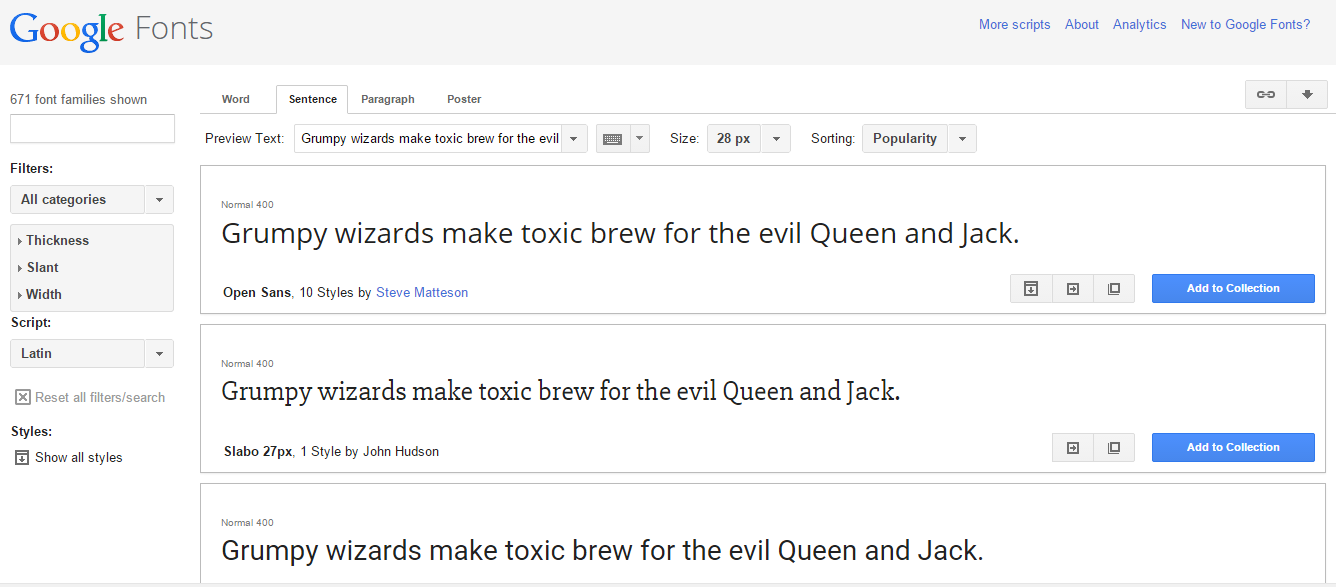
#6. Google Fonts (https://www.google.com/fonts)
#7. Google Keep (https://keep.google.com/)
#8. Flight Status. (Just type in the flight number in the search bar.)
#1. Type in "Tip Calculator" into the search bar.
#2. Search by Image.Go to "images.google.com. This is not searching FOR an image, it is searching BY an image. You download or link to an image and it searches the web for (other) sites that have that image.
#3. Converter. For the example below I typed "miles to kilometers" and clicked on that line.
#4. Google Sky (google.com/sky/) is just plain cool. You can zoom in and out just like with Google Earth.
#5. Type in "Mortgage Calculator" into the search bar.
#6. Google Fonts (https://www.google.com/fonts)
#7. Google Keep (https://keep.google.com/)
#8. Flight Status. (Just type in the flight number in the search bar.)
Wednesday, February 4, 2015
Google Apps for i-Pad
Here is a link to an article with Google Apps for the i-Pad.
Even though we are going 1:1 with Chrome books, teachers should have acccess to 1-2 i-Pads per class.
Here is the link: http://www.shakeuplearning.com/blog/the-guide-google-apps-for-the-ipad-infographic-updated
The Shake Up Learning site is a great resource for info on technology.
www.shakeuplearning.com
Even though we are going 1:1 with Chrome books, teachers should have acccess to 1-2 i-Pads per class.
Here is the link: http://www.shakeuplearning.com/blog/the-guide-google-apps-for-the-ipad-infographic-updated
The Shake Up Learning site is a great resource for info on technology.
www.shakeuplearning.com
Sunday, February 1, 2015
More technology resources...
Animoto.com - Make videos - Cost: $9.99/year
Prezi.com - Create presentations - Public (presentations visible publicly on the internet) - $0 with 100 MB storage. Private plans are also availble.
Bubbl.us - Mind Maps - Create 3 free, then $6/month or $59/year
mind42.com - Mind Maps - Free (Does have ads on site)
Infogr.am - Create infographics - Free!
ToonDoo.com - Create cartoons - Free (There is a Toon Doo Spaces for Education that has more features and charges for its services..)
MakeBeliefsComix.com - Make comics - Free! --> Has some great resources.
Prezi.com - Create presentations - Public (presentations visible publicly on the internet) - $0 with 100 MB storage. Private plans are also availble.
Bubbl.us - Mind Maps - Create 3 free, then $6/month or $59/year
mind42.com - Mind Maps - Free (Does have ads on site)
Infogr.am - Create infographics - Free!
ToonDoo.com - Create cartoons - Free (There is a Toon Doo Spaces for Education that has more features and charges for its services..)
MakeBeliefsComix.com - Make comics - Free! --> Has some great resources.
Tuesday, January 27, 2015
Apps and Add-Ons for Chrome Books - Various
A few you might want to check out...
- Google Drawings
- gLinks -
With this extension, you can create and open *.url, *.webloc and *.glink files directly from your Google Drive. Keep your files and links/bookmarks all together in your Google Drive.
- Pixlr Editor
- WeVideo - Video Editor
Chrome Extensions for Teachers:
- Boomerang for Gmail - Allows you to schedule the delivery of e-mails
- Clearly - Clearly makes blog posts, articles and webpages clean and easy to read. Save them to Evernote to read anywhere.
- Diigo Web Collector - Bookmark, Archive, Screenshot & Markup - All-In-One Web Collector, must-have research tool
- Evernote Web Clipper -
The Evernote Web Clipper is the easiest way to collect the best of the web, all in one place. Clip pages and articles and save them in Evernote for research or reading later. Annotate a web page to show others what to focus on. Share clipped pages in an instant with Work Chat
- IE Tab
- Last Pass - Remembers passwords
- One Tab - Save up to 95% memory and reduce tab clutter in Google Chrome
- Pin It Button - Pin sites quickly to your Pinterest account
- Shorten Me - Shorten URL's and generate QR codes
- Tweet Deck - The most powerful Twitter tool for real-time tracking, organizing, and engagement.
Chrome Extensions for Students:
- Clearly (Link above)
- Diigo Web Collector (Link above)
- Evernote Web Clipper (Link above)
- Last Pass (Link above)
- Pin It Button (Link above)
- Shorten Me (Link above)
- QR Code Generator
- BibMe - Cite your essays in your choice of format
Web 2.0 Sites
- Kahoot - Quiz generator
- Quizlet - Simple tools that let you study anything, for free
- Classflow
- Voice Thread
- WeVideo - (Link above)
- Padlet - Create and collaborate
- Today's Meet
Most or all of the above info taken from a presentation at the 2015 FETC by Rockingham County Schools.
Tuesday, November 11, 2014
Instructional Videos for Common Core Instruction
Some great videos on Common Core instruction. Not just math! Click here to go to the site.
Thanks to Denise Harvey for sharing!
Wednesday, October 8, 2014
Online Communites of Practice
Looking for some great ideas for your content area? Have a question you want to throw out about a standard? These and many other issues can be addressed using the Online Communities of Practice provided by the Indiana DOE. And since it is Indiana, it is specific to our state standards.
Here is the link to the site.
You have to join with Google+ to have access. If you have not already joined Google+ you can use your ACS e-mail account to join.
Here is the link to the site.
You have to join with Google+ to have access. If you have not already joined Google+ you can use your ACS e-mail account to join.
Friday, January 31, 2014
Quixey - There's an app for that!
Quixey is a search engine for apps. A great tool if you don't know the exact name of an app you are looking for.
Just choose the platform for your app...
Then what you are wanting your app to do (such as calculators that graph)...
...and you will be given a variety of choices that should meet your need.
Just choose the platform for your app...
Then what you are wanting your app to do (such as calculators that graph)...
...and you will be given a variety of choices that should meet your need.
Happy Hunting!
Wednesday, January 22, 2014
Great Math App!
My Script calculator is available for ios or Android, and is a free app! (I have it on my Android phone and i-Pad) From simple math to complicated formulas. Amazing!
Here is some of what can be done!
Thursday, November 21, 2013
Site of the Week
Sometimes the best sites are ones that are by teachers in the trenches. This site is from a 6th Grade Math teacher. If you look at what she is dealing with right now, a lot of it has to do with variables.
Here is the site: http://cindywhitebcms.blogspot.com/
Hope you find something useful!
Here is the site: http://cindywhitebcms.blogspot.com/
Hope you find something useful!
Wednesday, November 6, 2013
Site of the Week - Class Dojo
Check this one out. If you want more info on this site, get with Mr. Salyers, Mr. Malone, or Mrs. Stagman.
CLASSDOJO.COM
PS: It's free!
CLASSDOJO.COM
PS: It's free!
Subscribe to:
Posts (Atom)