
Monday, February 16, 2015

Extended Response Resources
Extended response (Applied Skills) starts nest week. Here are some resources for practice.
 Please be aware: These are Common Core resources. Check your standards before using. You may need to adjust a grade level up or down depending on your grades standards for that strand.
Milwaukee Mathematics Partnership. Multiple problems with scoring rubrics.
Morgan County Schools - TN. Includes possible solution paths, assessment questions to ask, as well as some possible student misconceptions.
Louisiana Believes - 6th Grade - 7th Grade - 8th Grade
State of Washington. Released items and scoring rubrics.
Northwest Illinois Mathematics and Science.
Illinois State Board of Education - Released items
If you have others that we might not already be aware of, please share in the comments section.
Milwaukee Mathematics Partnership. Multiple problems with scoring rubrics.
Morgan County Schools - TN. Includes possible solution paths, assessment questions to ask, as well as some possible student misconceptions.
Louisiana Believes - 6th Grade - 7th Grade - 8th Grade
State of Washington. Released items and scoring rubrics.
Northwest Illinois Mathematics and Science.
Illinois State Board of Education - Released items
If you have others that we might not already be aware of, please share in the comments section.
Wednesday, February 11, 2015

Tuesday, February 10, 2015
Cool Google Stuff
Here is some things that you can do with Google.
#1. Type in "Tip Calculator" into the search bar.
 #2. Search by Image.Go to "images.google.com. This is not searching FOR an image, it is searching BY an image. You download or link to an image and it searches the web for (other) sites that have that image.

#3. Converter. For the example below I typed "miles to kilometers" and clicked on that line.

#4. Google Sky (google.com/sky/) is just plain cool. You can zoom in and out just like with Google Earth.

#5. Type in "Mortgage Calculator" into the search bar.

#6. Google Fonts (https://www.google.com/fonts)
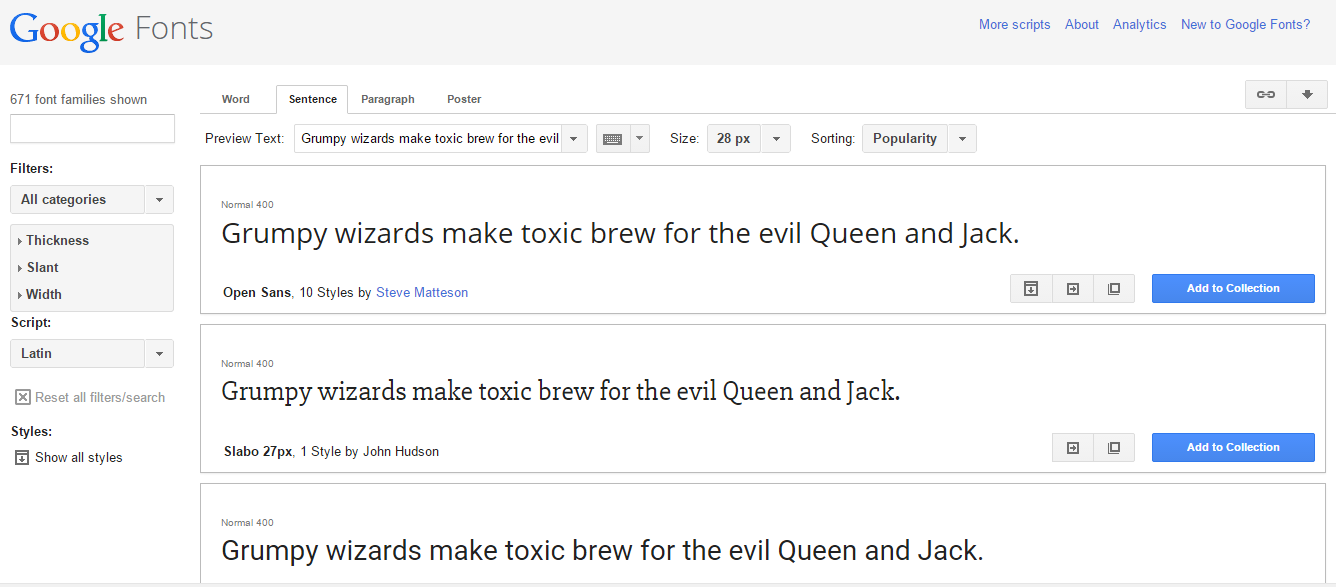
#7. Google Keep (https://keep.google.com/)

#8. Flight Status. (Just type in the flight number in the search bar.)

#1. Type in "Tip Calculator" into the search bar.
#3. Converter. For the example below I typed "miles to kilometers" and clicked on that line.
#4. Google Sky (google.com/sky/) is just plain cool. You can zoom in and out just like with Google Earth.
#5. Type in "Mortgage Calculator" into the search bar.
#6. Google Fonts (https://www.google.com/fonts)
#7. Google Keep (https://keep.google.com/)
#8. Flight Status. (Just type in the flight number in the search bar.)
Thursday, February 5, 2015
Boomerang for Gmail
Want to write an e-mail but send it later? Worried about forgetting to take it out of drafts and remembering to send it? Then you might want to add Boomerang to your Gmail account.
 www.boomeranggmail.com


Wednesday, February 4, 2015
Google Apps for i-Pad
Here is a link to an article with Google Apps for the i-Pad.
Even though we are going 1:1 with Chrome books, teachers should have acccess to 1-2 i-Pads per class.
Here is the link: http://www.shakeuplearning.com/blog/the-guide-google-apps-for-the-ipad-infographic-updated
The Shake Up Learning site is a great resource for info on technology.
www.shakeuplearning.com

Even though we are going 1:1 with Chrome books, teachers should have acccess to 1-2 i-Pads per class.
Here is the link: http://www.shakeuplearning.com/blog/the-guide-google-apps-for-the-ipad-infographic-updated
The Shake Up Learning site is a great resource for info on technology.
www.shakeuplearning.com

Destination Indiana

Here is the site mentioned in Mr. Brandes's e-mail. Great resource for information about Indiana!
http://www.destination-indiana.com/
Subscribe to:
Posts (Atom)